USB support in WSL2 – now with a GUI!
Almost two years ago I wrote a guide on how to interface with USB devices from WSL2 because many of our users were developing on Windows but wanted to use Linux-native tools for projects like Zephyr. I’ve heard from countless devs thanking me for the guide but with one wish – a Graphical User Interface (GUI) to simplify the process of managing USB devices. The most common alternative to running Linux tools on Windows is usually a full blown VM like VirtualBox, which has a nice UI. usbipd-win is certainly no GUI.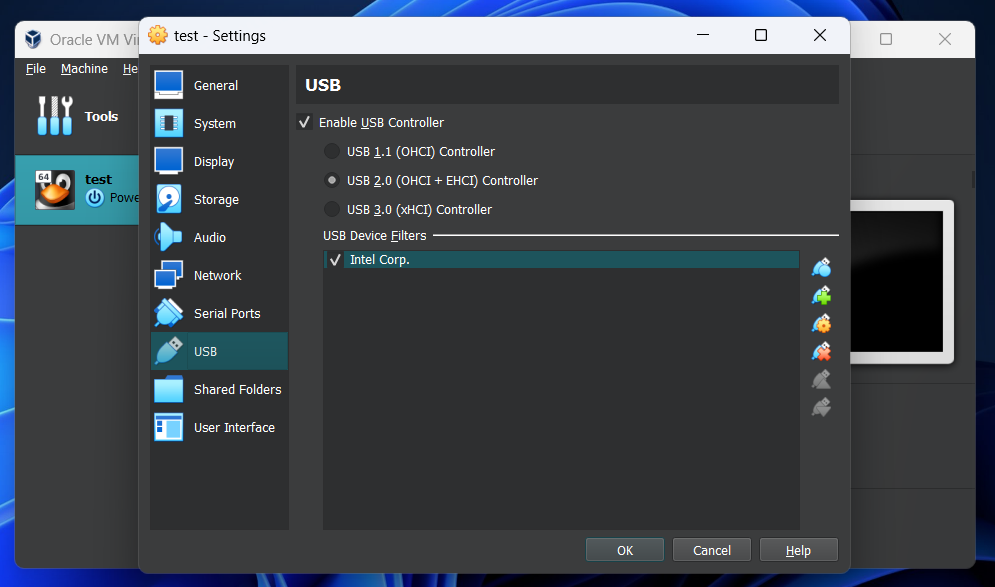
WSL USB Manager The first tool I found is a nice Python-based desktop GUI
hosted over on GitLab. Installation is a breeze thanks to the MSI installer included in official releases. It delivers on the fundamentals of being a USB manager – list, view state, attach/detach – but it also adds some niceties.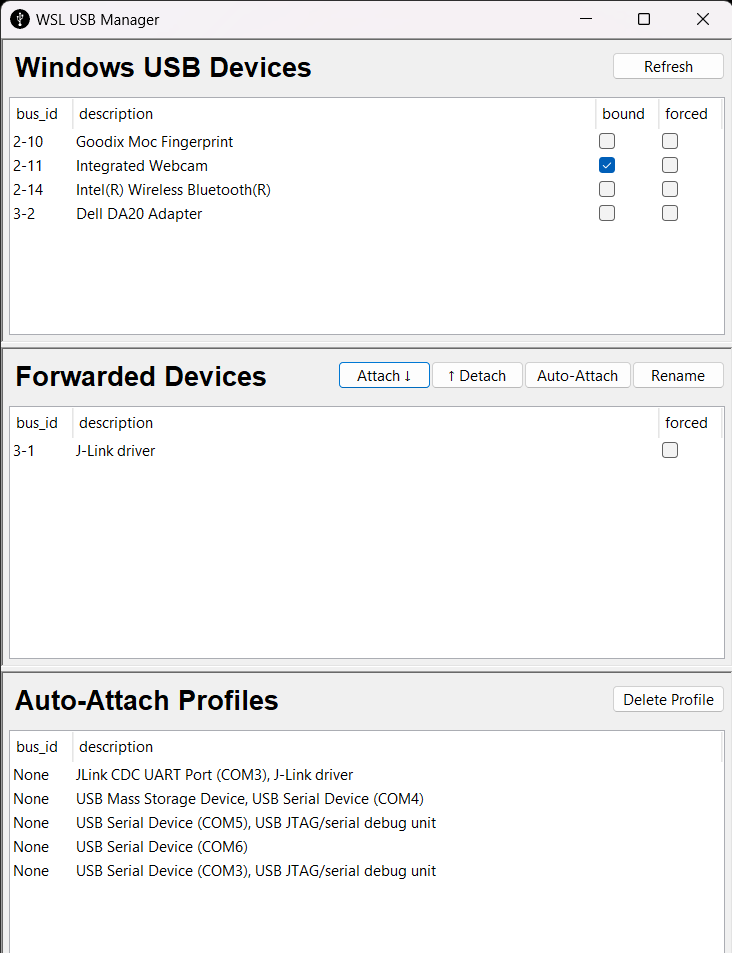
usbipd-win added an auto-attach feature since my original article, which can be very handy when your embedded device reboots and needs to be re-attached. However, it can be tricky to set up from the commandline. WSL USB Manager allows you to define a profile right from the UI that handles auto-attach more smoothly. Another neat thing it does is automatically create the correct UDEV rule for you so you have one less permission issue to deal with.
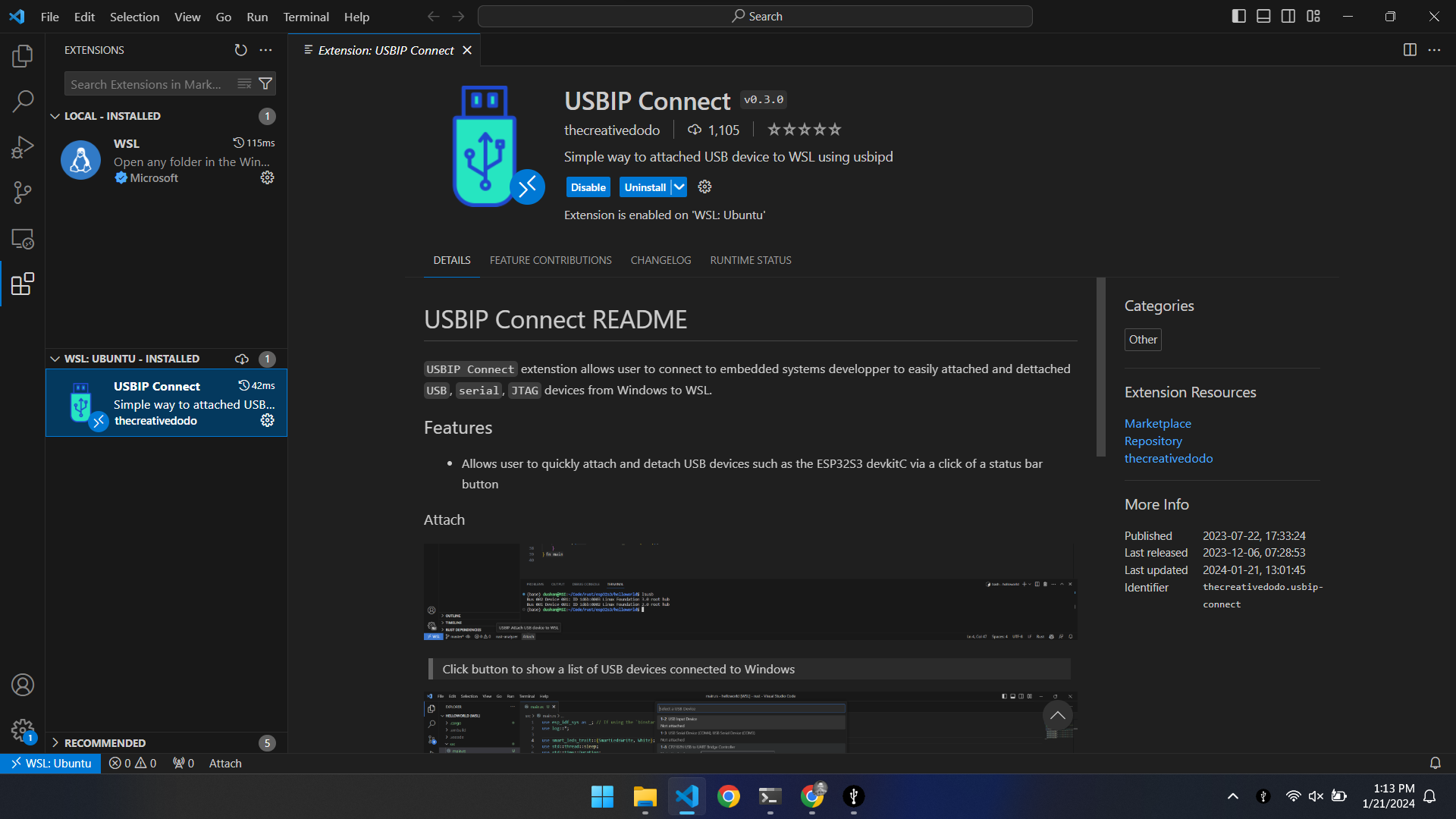
USBIP Connect for VS Code Given the popularity of Visual Studio Code, it’s no surprise someone created
USBIP Connect. Setup is simple but there’s a few important details to get it working correctly. First, you need to install the official WSL extension and connect to WSL. Install USBIP Connect from the marketplace only after connected, otherwise things won’t work. You’ll know if you’ve done the setup correctly if you see USBIP Connect listed under the “WSL: UBUNTU” list of extensions, not “LOCAL.”