Never miss a packet with Pipeline Recommendations

Pipeline Recommendations intelligently scans incoming data to your product and recommends stelps to ensure you never miss a packet. Check out how you can improve your product with this new feature on the Golioth Console.
Golioth released Pipeline Recommendations on our console today that intelligently monitors and recommends updates to your pipelines so you never miss a packet flowing through your project. This enhances Golioth Pipelines, which route data to internal or external data sinks and enable complex transformation and interaction with data flowing in from your IoT devices in the field.
Unrouted data is unhappy data
As a regular user of our services, this new feature feels like a gift to save my sanity. Here’s how my workflow sometimes goes:
- I set up a device to use the Golioth Firmware SDK
- I see on my console output from my device and on the Golioth console that my device has successfully connected to Golioth
- I click on the LightDB Stream tab, because I sent some sensor data there and…nothing!
What just happened? Well, the details matter!
A common use case is that I might be sending a different datatype than is currently enabled via pipelines. As a recent project shows, if I am sending through CBOR, JSON, and Octet-stream (effectively binary) data, each needs to be handled differently.
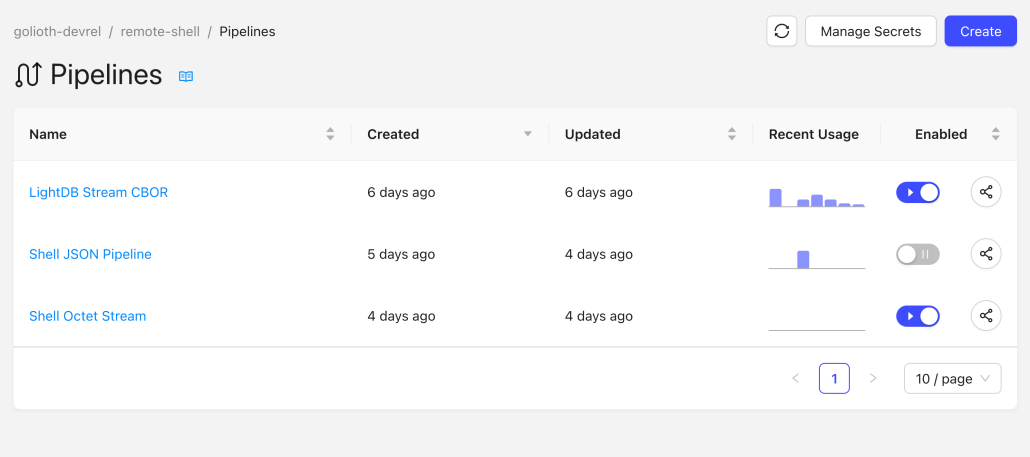
The same goes for paths and filtering. If I am sending data to a path that either does exist or isn’t covered by a wildcard path (*) in a pipeline, then that data will be missed.
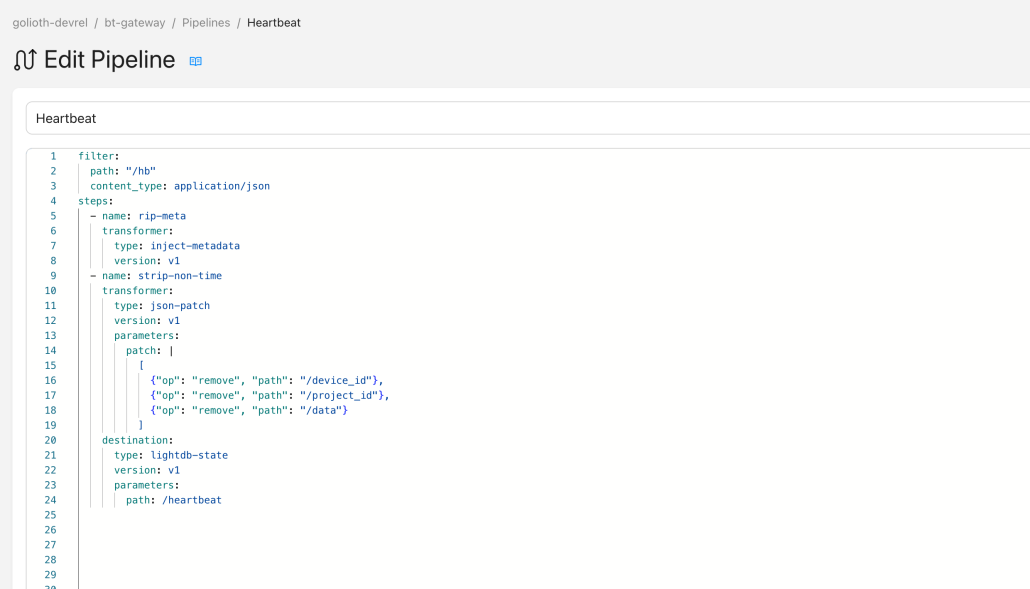
Previously this data was still hitting the Golioth server, but it wasn’t being routed to anywhere useful. What’s more, it was difficult to figure out what was going wrong and how to fix it. Now, there are lots of useful messages to point out where we think your pipelines could improve.
Finding a home for each packet
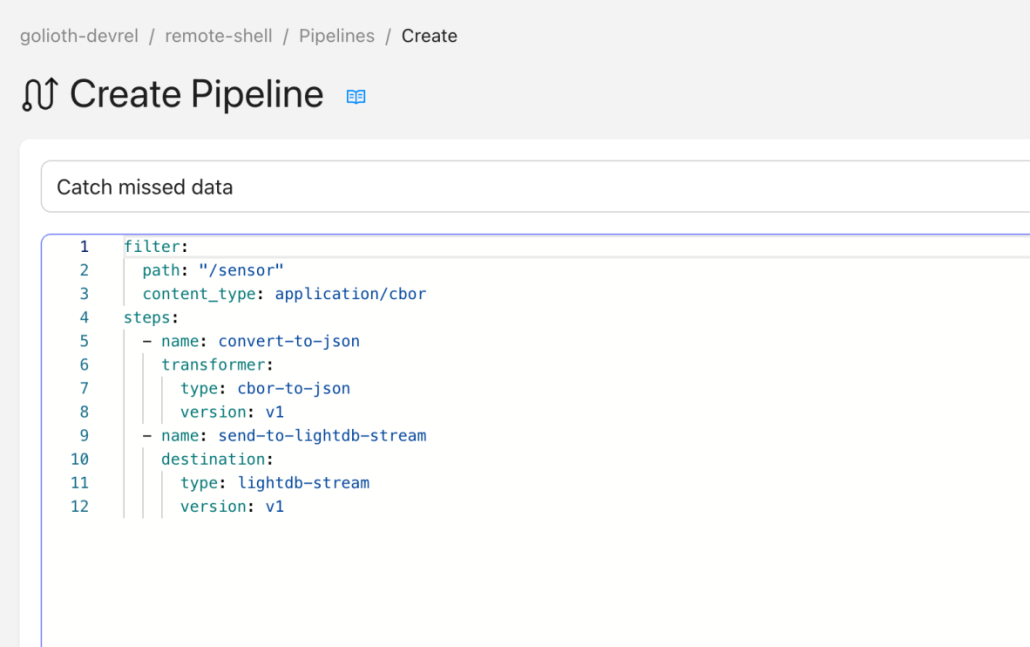
Not only do we now alert you to the fact that there’s unrouted data, we also recommend a good path to start viewing/capturing that data. This takes advantage of internal Golioth destinations like LightDB Stream (our timeseries database product), which helps to capture data coming in.
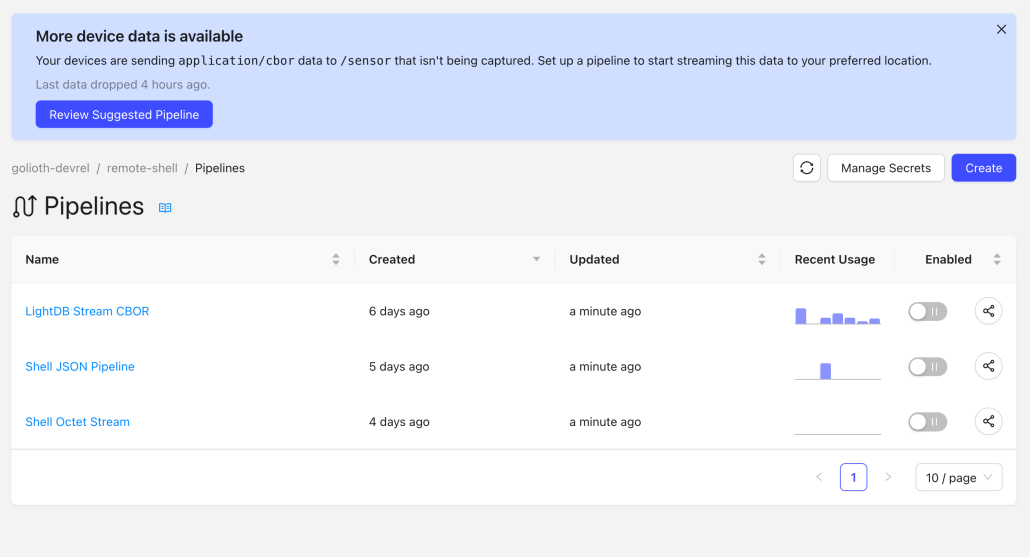
In the above case, it’s because I purposefully turned off a pipeline with known usage. If I had other data that wasn’t showing up on a chart though, that would also be presented. I think for many projects, that is even more useful because of the unknown nature of data that you thought was flowing through, but it somehow doesn’t show up where you expected. This is what I see when I click the ‘Create Pipeline’ button
Try it today!
This new feature is deployed and available on the console. If you’re using Golioth’s Firmware SDK samples, you are taking advantage of our default CBOR to LightDB Stream pipeline. You can toggle that “off” and see that the device is sending data not being captured by pipelines. As you build new functionality into samples and your products, the Recommendations feature will help you to diagnose and set up new pipelines.